
Concerts and Events Introduce Restrictions on Mobile Phone Use
Read more
The times of India
timesofindia.indiatimes.com

Concerts and Events Introduce Restrictions on Mobile Phone Use

Recently, there has been a trend toward restricting the use of mobile phones at live performances. Previously, warnings about turning off sound were often accompanied by a voice from the darkness, but sometimes unintentional musical interludes occurred, such as during a concert in Vilnius, Lithuania, where pianist Waldemar Malicki and musicians turned a ringtone melody into an improvisational piece.

Over time, these requests have become more sophisticated: theater troupes have integrated warnings into the beginning of shows, and comedians have used images of people with glowing screens in their jokes. Some even set the 'turn off phone' notification to Canon Pachelbel. These attempts to capture the audience's attention elicited laughter while the phones remained put.

However, some organizers have now moved to stricter measures, requiring phones to be kept locked away. At a show by comedian Samai Raina in November, audience members were prohibited from using their phones. Given Raina's recent legal issues, posting jokes online was a matter of significant importance. BookMyShow notified ticket buyers that phones and smartwatches would be placed in special sealed cases. Guests could keep them, but to use the devices, they had to enter a designated area, after which the devices were resealed. They were also advised to carry cash, and damaging the case incurred a fine.

Anshika, who attended Raina's performance, shared on Instagram how pleasant it was to experience a live event without the constant urge to film or scroll through her feed. She noted: 'We are so accustomed to documenting everything for reels that we forget to truly feel it.'

More common than the phone itself is the camera. At a show by German techno DJ Klankuenstler in Mumbai in June, organizer Outworld India covered phone cameras with protective stickers at the entrance, and those who tried to take pictures could be ejected.

Singer Madhubanti Bagchi believes that concerts already have enough music and do not need hundreds of raised phones to record everything. She stated: 'Most of the spectacle is created to look good on social media, and that has nothing to do with the music.' Bagchi decided to hold a series of phone-free events for 50–100 listeners after completing her tour in India in February. 'I don't want to perform for phones. I want to perform for people,' she emphasized, comparing these events to traditional baithaks. Attendees will later receive access to recorded material via a Google Drive link.

In Chennai, Juwitta John took the idea of putting phones away literally. The center of her 'Lock & Talk' meetings is a safe with 24 numbered compartments. Invited guests, usually 15–20 strangers, get 15 minutes to make final calls and warn contacts about their temporary absence for two hours. Then, the phones are placed in the box, the key remains with the organizers, and everyone must interact. Juwitta conceived this concept while traveling through East Java in Indonesia. She dropped her phone, damaged the SIM slot, and found herself in a remote location where she couldn't fix the device. Ten days without internet allowed her to connect with people she otherwise never would have met. It was difficult for her, as she had spent most of her student life in quarantine conditions. 'When restrictions ended, even meeting old friends felt uncomfortable. I wore headphones to avoid conversations and stay in my comfort zone,' she recalls. Her accidental digital detox changed this perception. 'I started talking to those around me, interacting with strangers, listening to their stories, and sharing mine. That's when I realized how much you can learn from someone you just met.'

About six months ago, she launched 'Lock & Talk', integrating it into events like bicycle rides she was already organizing in Chennai. However, as Juwitta notes, simply taking phones away does not guarantee an interesting conversation. 'If we just tell people to talk, they don't know where to start,' she says. Therefore, the group uses an icebreaker game called 'Red Flag, Green Flag' with questions such as: 'Does it annoy you when a friend insists on photographing food while the rest of the food gets cold?' or 'Is gossip a form of therapy?' Usually, there are enough disagreements to prompt people to speak.

People are willing to pay between 500 and 600 rupees for two hours without a phone. Juwitta explains that many are tired of endlessly scrolling through Instagram and YouTube feeds. One woman signed up during the Big Billion Days sale to distract herself from shopping apps. Others sought a break from gaming for an entire weekend. Some acquaintances made through 'Lock & Talk' have blossomed into friendships. 'I've attended birthdays and weddings of people I met through 'Lock & Talk'. Some have even started running businesses together,' shares Juwitta.

At Studio 3 Art House in Mumbai, the phone game involves two decks of playing cards. As the studio manager Saili Sohoni says: 'If someone's phone is marked with a seven of hearts, we give them the corresponding card from the second deck.' This venue's No Phone Party originated from similar observations to Juwitta's. At regular parties, conversations could be interrupted by a call or notification, or people tended to retreat into their phones. Their idea was to spend several hours 'without the pressure to answer, check notifications, or worry about what's happening online.' Both versions, designed for approximately 150 guests, are sold out, and strangers play games and dance together.

Celebrities such as Alicia Keys, Childish Gambino, and Jack White have banned smartphones at concerts, and Bob Dylan conducted his recent tours without phones. Paul McCartney previously banned phones at two shows in Los Angeles this year, comparing it to 'the old concert, how everyone played back then.' Of course, those old concerts didn't have Instagram. The difficulty with such a rejection of technology is that in an era where photos and reels serve as free advertising, asking people to put away their phones can be a risky move. Bagchi agrees: 'Of course, it's a risk, but it's also a filter.' She understands that some attend concerts not just for the music, but to avoid FOMO. 'I'm not saying it's bad, but if every concert becomes like this, we will lose truly great concerts and experiences.'
Similar stories

How to Block Unknown and Unwanted Calls on Your Phone (iPhone or Android)
Read more
tecnoblog.net

How to Block Unknown and Unwanted Calls on Your Phone (iPhone or Android)

Inconvenient calls often arise from mass telemarketing campaigns, data leaks, or number reuse by operators. Fortunately, you can block unwanted calls using the built-in functions of iPhone or Android to restore peace of mind.

On iPhone, you can filter unknown numbers in phone settings or block individual contacts through call history. In Android, the 'Phone' app allows you to block unknown and private numbers with just a few taps, without needing to install additional applications.

Below, Tecnoblog shows how to quickly block unknown calls in daily life.

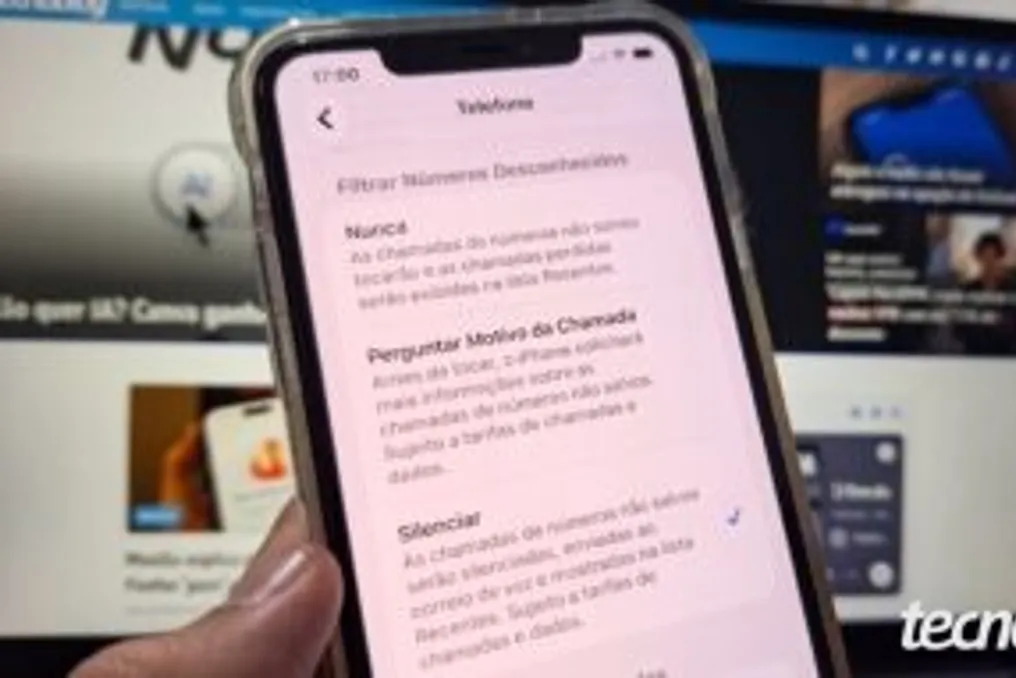
iOS provides a built-in tool to filter calls from numbers not in your address book via the 'Settings' section. To block unknown calls on iPhone, follow these steps:

  1. Open the 'Settings' app on iPhone.
  2. Go to the 'Apps' menu, then select 'Phone'.
  3. Find the 'Filter Unknown Callers' section and determine how the system should operate.

For blocking unknown calls on Android, no additional apps are required. To activate the built-in Google system feature, follow these instructions:

  1. Open the 'Phone' app on Android and select the 'Recents' tab in the bottom menu.
  2. Tap the three-dot icon in the upper right corner of the screen and select the 'Settings' option.
  3. Select the 'Block numbers' menu to manage device call filters.
  4. Activate the toggle next to 'Block calls from unknown numbers' to prevent calls from private or unidentified numbers.

iOS also has a quick and built-in way to block unknown numbers through the 'Phone' app. For direct individual blocking, follow these actions:

  1. Open the 'Phone' app on iPhone and tap the 'Calls' (or 'Recents', depending on the iOS version) tab.
  2. Find the unwanted call and tap the contact you wish to block.
  3. Scroll to the end of the screen, select 'Block this Caller', and confirm the action in the pop-up window by tapping 'Block this Caller' again.

You can also block numbers not in your Android contacts directly from the 'Phone' app's call history. Simply follow this path:

  1. Find the unwanted number in the list, tap on it, and open the contact details or options menu (three dots icon with three lines).
  2. Tap the 'Block' option at the bottom of the screen and confirm the action in the pop-up window to prevent further calls from this number.

Enabling the unknown caller blocking feature does not completely stop contact, as this depends on the phone's operating system. On Android, the function usually rejects the call before it rings on the device, but on some models, it only filters private or hidden numbers.

As for iPhone (iOS), the built-in tool only silences contacts not in your address book, redirecting the call straight to voicemail and saving the record in the 'Recents' section. In current versions, Siri also participates in intelligent sorting, asking the reason for the call before you decide to answer.

The excessive number of unwanted calls occurs because your contact has been included in mass mailing lists used by automated telemarketing, debt collection, or fraud systems.

Even after activating filters to block unknown calls, your phone may continue to receive calls due to technical system limitations or loopholes exploited by centralized dispatch centers. It is important to understand the main reasons why these calls bypass device protection.

Built-in phone blocks reduce spam volume but do not eliminate it by 100%. The most effective solution is combining these filters with free registration on the Não Me Perturbe platform, designed to block telemarketing calls with Anatel and prohibit offers from banks and operators.

After selecting the desired companies on the website or in the app, the service takes effect within 30 calendar days. If calls continue after this period, record the call details to file an official complaint with Anatel or Procon and avoid further contact with suspicious numbers.

Yes, you can mute unknown calls in WhatsApp directly in the account settings. Go to the 'Privacy' section, open the 'Calls' menu, and activate the 'Mute unknown callers' toggle to stop receiving calls from unfamiliar numbers.

It is also possible to block a number or group in WhatsApp to avoid receiving calls. However, these contacts must be saved in the device's or messenger's address book.

How to Book an Urgent Ticket on IRCTC: 5 Necessary Settings
Read more
www.aajtak.in

How to Book an Urgent Ticket on IRCTC: 5 Necessary Settings

If you are planning a train journey but could not secure a confirmed ticket, an urgent ticket might be the solution. However, booking an urgent ticket on IRCTC is not a simple process, as most seats fill up quickly right after sales begin. Problems with booking often arise due to payment delays or passenger data entry issues.

To save time when purchasing a ticket, it is recommended to perform several preliminary settings. Below are five important settings that will help speed up the process of booking an urgent ticket on IRCTC.

Firstly, you need to authenticate via Aadhaar. To do this, go to the 'Authenticate User' section in your account on the IRCTC website or app, enter your Aadhaar number, and complete verification using OTP. It is important to ensure that the mobile number linked to Aadhaar is readily available to you.

Secondly, pre-save passenger details in the 'Master List'. This will help avoid wasting time filling in the passenger's name, age, and gender during the urgent ticket booking. Thus, you will not have to enter this information again.

Thirdly, ensure that your mobile phone number in the IRCTC account is up-to-date. OTPs may be required during booking, so use a number that is always accessible and to which codes arrive easily.

Fourthly, prepare your payment method in advance. Payment delays can cause problems. Therefore, prepare your UPI application beforehand, ensure there are sufficient funds in your bank account, and remember your UPI PIN. This will save time during the payment stage.

The fifth point is to pre-determine the train and seat information. Before ticket sales begin, decide on the train number, travel date, boarding station, and destination station. It is also worth thinking in advance about the desired class and seat. This will prevent the need to search for information during booking.

Booking urgent tickets on IRCTC for AC class starts at 10:00 AM, and for non-AC class—at 11:00 AM. Sales open one day before the travel date. Therefore, it is recommended to log in early and prepare all necessary information.

Popular