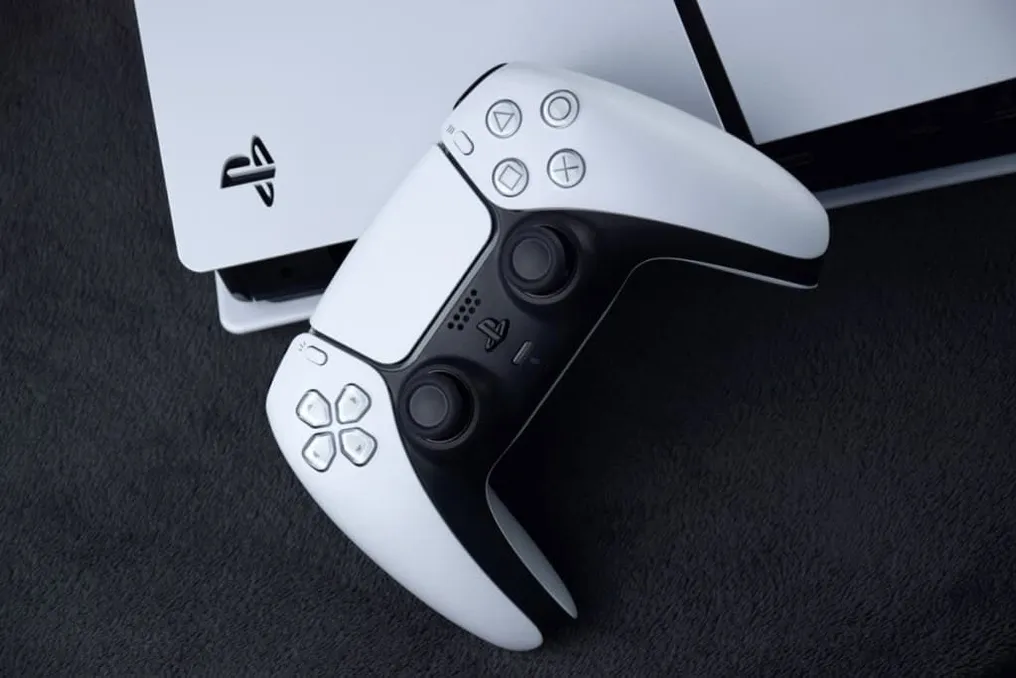
Instructions on how to safely shut down the PS5 using the controller or without it
Read more
Tecnoblog
tecnoblog.net

Instructions on how to safely shut down the PS5 using the controller or without it

There are two main ways to safely shut down the PlayStation 5: through the 'Power' menu using the DualSense controller or by pressing the power button directly on the console. In both cases, it is crucial to wait until the indicator light stops blinking and turns off completely before disconnecting the device from the power outlet.

Adopting this careful procedure when shutting down the PS5 correctly serves to protect the internal SSD and ensure that any background processes are terminated without issues. Abrupt power interruptions can lead to game save corruption and, in more serious cases, force a system database rebuild.

To perform a safe shutdown using the DualSense controller, simply access the console's quick menu within seconds. The user must quickly press the PS button, which has the brand logo in the center of the DualSense, to open the PS5 Control Center at the bottom of the screen.

Next, use the controller's directional commands to navigate to the Power icon, which is usually located on the far right of the Control Center, and confirm the selection by pressing the X button. By choosing the 'Turn off PS5' option, the PlayStation 5 will shut down safely, and you should wait until the console's indicator light stops blinking white before unplugging it.

If the DualSense controller is out of battery or unavailable, it is possible to shut down the PS5 correctly directly using the power button on the console itself. It is important to note that shutting down the PS5 by simply pulling the power cord while it is on causes an abrupt power cut, which can corrupt saved files and damage the internal SSD storage.

The next time the device is turned on, the operating system will need to perform a database rebuild to try to correct such failures. To protect the console, it is essential to ensure that all secondary processes have been terminated before disconnecting it from the power source. The indicator light on the casing must be observed, and the cord should only be removed when it is completely off, as any light signal indicates that data writing is in progress.

It is possible to shut down the PS5 using a mobile phone via the PS Remote Play application, which functions as a screen mirroring tool for remote control over the internet. Since the PlayStation App does not offer a direct command for this function, the user must start a Remote Play session, tap the PS button icon on the virtual interface, and select the 'Turn off PS5' option within the Power menu.

For this operation to be successful, the console needs to be powered on or in rest mode, with an active internet connection and remote access previously configured in the system options. Additionally, the phone must be connected to the same PlayStation Network (PSN) account and have a stable Wi-Fi or mobile network to prevent connection interruptions.

Finally, it is possible to turn off only the DualSense by pressing the PS button for approximately ten to twelve seconds, until the controller's light bar goes out completely. This shortcut exclusively functions to end the Bluetooth wireless pairing of the accessory to conserve battery, keeping the PS5 on if the user wishes to watch movies or take a break.

Similar stories

Digital Foundry analysis indicates greater stability of GTA 6 on Xbox Series X compared to PS5
Read more
tecnoblog.net

Digital Foundry analysis indicates greater stability of GTA 6 on Xbox Series X compared to PS5

According to a comparison conducted by Digital Foundry, GTA 6 shows a lower frequency of performance drops on the Xbox Series X when compared to the standard PS5 version. Although both consoles aim to maintain the 30 frames per second (fps) mark, Microsoft's hardware manages to maintain this level more consistently.

The main difference observed between the Series X and the traditional PlayStation lies in stability, given that the visual settings adopted by both platforms are quite similar. However, the Pro model was pointed out as providing the best overall visual experience. The analysis also included a comparison between the PS5 Pro and the Xbox Series S.

During the tests, both the standard PS5 and the Series X managed to maintain 30 fps for most of the gameplay. However, performance drops were more noticeable on the PlayStation when moving quickly or in densely populated areas. The Microsoft console also registered fluctuations, but with greater regularity.

The measurements indicated that both devices operate with an internal resolution of 1440p, using similar settings for global illumination and ray-traced reflections. Another positive aspect of the Series X is the integration of 120 Hz output with VRR (variable refresh rate). On compatible monitors, this feature helps smooth the presentation when there are performance variations, although this does not mean that GTA 6 runs at 120 fps, keeping the target at 30 fps. The PS5 also has VRR, but the game's implementation does not capitalize on the same benefit to mitigate these drops.

It is concluded that the final result depends both on the processing power of the consoles and on how the game itself utilizes its resources. In the Digital Foundry evaluation, the best option among the four tested consoles is the PS5 Pro, which uses Sony's PSSR technology to offer greater sharpness. In addition to incorporating ray-traced shadows, the Pro demonstrated greater stability in the tests.

The Xbox Series S requires greater sacrifices, as the analysis revealed the need to reduce details and shadow quality, in addition to presenting sharper drops during high-demand moments. The comparison remained focused on the console versions; however, unconfirmed rumors have emerged about a possible PC edition in early 2027. It is important to note that the presented results only reflect the analyzed versions, and future Rockstar updates may modify performance and resource usage.

PlayStation Network experiences instability after GTA 6 launch in the US and Canada
Read more
olhardigital.com.br

PlayStation Network experiences instability after GTA 6 launch in the US and Canada

The PlayStation Network (PSN) registered instability on Thursday, the 19th, shortly after the release of Grand Theft Auto VI (GTA 6) in the United States and Canada. According to reports from the portal TalkEsport, players encountered difficulties when trying to start games, access applications, and use the online features of PlayStation consoles.

The incident was reported on Sony's official status page at 2:33 AM Brasília time, about 33 minutes after the game became available on the East Coast of the United States. This instability extended to other geographical areas, covering Europe, the United Kingdom, the Middle East, Australia, and New Zealand.

Sony identified failures in the 'Games and social networking' category affecting PS5 and PS4 consoles in the Americas. The notice indicated that users might have trouble starting games, opening applications, or accessing network functionalities.

In regions such as Europe, in addition to instability in gaming services, the PlayStation Store suffered interruptions that made acquiring digital content difficult. At 3:02 AM Brasília time, the PlayStation status page no longer reported issues with gaming services in the Americas, and the instability in this category had also been resolved in Europe.

However, the European PlayStation Store continued to have problems at that moment, with a new failure start recorded at 2:56 AM Brasília time. Sony did not provide information regarding the origin of these failures, which prevents confirmation whether the GTA 6 launch caused the interruption.

It is possible that players who have already downloaded GTA 6 can start the game even during PSN instability, depending on the console settings. On the PS5, the Console Sharing and Offline Play feature allows access to certain digital titles without relying on Sony servers. This feature can be accessed via Settings → Users and Accounts → Other → Console Sharing and Offline Play.

It should be noted that activating this functionality requires a prior connection to PSN, which could cause difficulties for those who had not configured this option during the interruption.

For those who could not access the game, the recommendation is to check the official PlayStation status page before making further attempts. Furthermore, it is not advisable to uninstall and reinstall GTA 6 as a solution for network problems, as this does not correct network failures.

Sony maintains information about possible interruptions on its official status page, detailing the situation of gaming services, account management, and the PlayStation Store. Players can follow updates via the link https://status.playstation.com/. According to TalkEsport, this was the second episode of PSN instability during the GTA 6 launch week. As of the latest update from the outlet, gaming services in the Americas were restored, but the European digital store was still facing issues.

Sony releases system update for PS5; possible requirement for GTA 6
Read more
olhardigital.com.br

Sony releases system update for PS5; possible requirement for GTA 6

Sony released a system update for the PlayStation 5 and PS5 Pro last Tuesday, the 17th. This update, identified as version 26.07-14.23.00, is 1.267 GB in size and includes security fixes.

This release occurred one day after a jailbreaking community member claimed to have obtained data from a game running on the previous version, 14.22. The company itself did not specify which vulnerabilities were corrected in this new firmware.

According to the official notes, Sony limited the description of the changes to a single sentence: 'We made some security fixes to the system software.' Without applying this update, the console is unable to access online services, download content through the PlayStation Network, or run recently released titles.

The update was announced one day after the researcher known as Gezine declared, on November 16, that he managed to extract the executable of a game while it was running on firmware 14.22. Gezine chose not to disclose the name of the game or publish the file on the internet.

Following this declaration, Gezine removed his account on the social network X without providing a public explanation for the action. Programmer EchoStretch mentioned having spoken with him about the distancing from the community but did not clarify the reason.

Community reports indicate that developers are using generative artificial intelligence tools to identify flaws in the PS5's software architecture more rapidly. Although the events are recent, there is no official confirmation that version 14.23 is a direct response to the incident related to firmware 14.22.

There is conflicting information regarding the necessity of this new firmware for playing GTA 6. Previous pre-load metadata indicated version 14.22 as the minimum requirement. One source alleges that Sony began requiring the update before the launch, even for those who had already pre-ordered the game. However, another source states that this obligation has not yet been officially confirmed by Sony or Rockstar Games.

Regardless of the requirement, and to avoid any risk of the game not working, users can check if their console has received the latest firmware. If automatic download has not started, the update can be installed manually through the system menu. When connected to the internet, the PS5 also has the capability to download the package automatically, updating the console to version 26.07-14.23.00.

Popular