Choosing the right gaming monitor determines the visual quality of any PC setup. To make a cost-effective purchase, it is essential to harmonize technical specifications, such as refresh rate (Hz) and panel type and response time, with the screen size in inches, ensuring suitability for both desk space and graphics card capability.
There are top-tier models, such as the TCL QD-MiniLED, which feature refresh rates exceeding 200 Hz, making them perfect for professional gamers and dedicated enthusiasts. However, simpler options with 120 Hz are also available, providing smooth images for casual users.
In this article, Tecnoblog presents a list of ten gaming monitors that can enhance the gaming experience, detailing the pros and cons of models manufactured by TCL, AOC, Samsung, Dell, and LG.
The 25-inch TCL QD-MiniLED model is a Full HD monitor suitable for competitions, thanks to its refresh rate of up to 300 Hz when connected via DisplayPort, which ensures great fluidity during action. However, when using HDMI connections, this maximum rate reduces to up to 240 Hz.
This monitor uses an IPS screen that combines QLED quantum dot technology with MiniLED backlighting, resulting in high contrast and a color palette comparable to OLED, covering 96% of the DCI-P3 spectrum, which provides more immersive scenes. Furthermore, it supports HDR and has a 1ms GtG response time to minimize ghosting artifacts during gameplay. Its ports include two HDMI 2.1 and one DisplayPort.
The AOC Agon Q27G4F offers a good balance between sharpness and fluidity. Its IPS panel features Quad HD resolution (2560 x 1440 pixels) on a 27-inch screen, making text and animations more defined. The refresh rate of up to 180 Hz delivers three times the frames per second compared to conventional monitors.
Regarding fluidity, Adaptive Sync technology synchronizes the monitor's refresh rate with the GPU's for smoother gaming sessions. There is also support for Nvidia G-Sync, which functions similarly to Adaptive Sync but incorporates specific optimizations for GeForce graphics cards. This monitor has one HDMI port and one DisplayPort, supports HDR10, and features response times of 1ms (GtG) and 0.5ms (MPRT), helping to reduce motion blur and image ghosting.
Another viable option for competitive gaming is the Samsung Odyssey G40. It is equipped with a Full HD IPS panel and a refresh rate of up to 240 Hz, ensuring high fluidity. With a 1ms GtG response time, transitions are smoother, and there is less risk of motion blur. The 25-inch screen has a native 16:9 aspect ratio, but the Ultrawide Game View mode allows adjusting the display to 21:9, expanding the player's field of view as if it were an ultrawide screen. The peripheral is compatible with HDR10 and supports Nvidia G-Sync and AMD FreeSync Premium technologies, offering a total of three connections: two HDMI and one DisplayPort.
The 24-inch Dell SE2426HG monitor stands out for offering high fluidity at a more accessible price. Its Full HD IPS screen reaches a maximum refresh rate of 240 Hz, making it excellent for competitive gaming, particularly shooters that demand aiming precision. The GtG response time can reach 0.5ms in extreme mode, promoting faster acceleration in pixel tone changes for greater fluidity. The AMD FreeSync Premium feature also stabilizes gameplay through frame synchronization between screen and GPU. On the back, it has two HDMI 2.1 outputs and one DisplayPort 1.4; however, a drawback is that support only allows tilt adjustment, without rotation or height adjustment options.
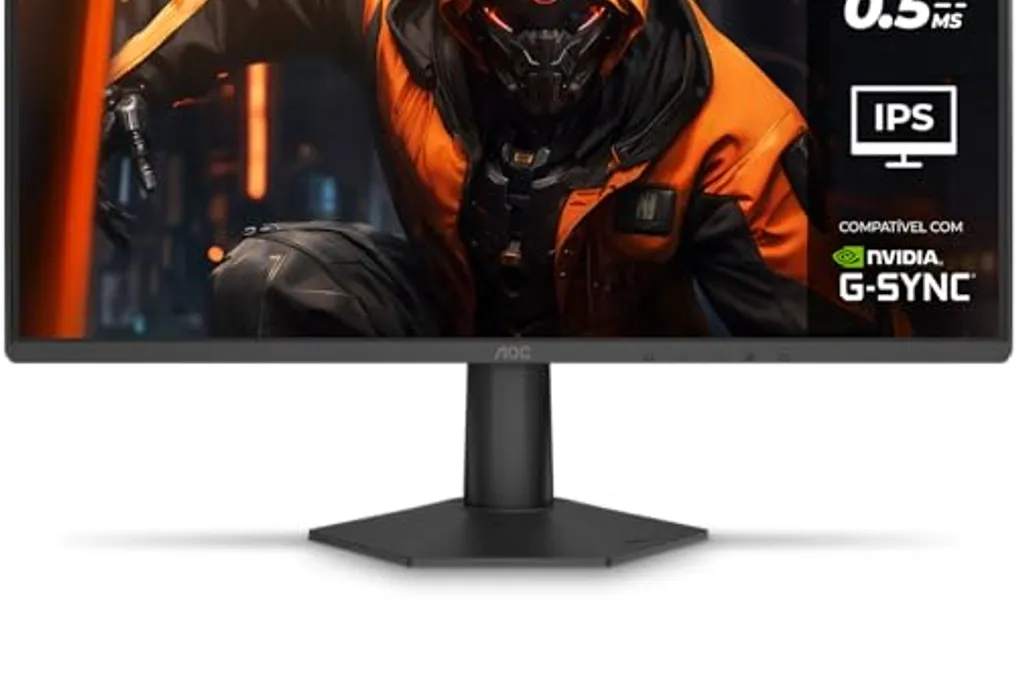
The AOC Agon G42 is another 24-inch gaming monitor with excellent cost-benefit. Although less advanced than the previously mentioned Agon Q27G4F, it features a Full HD IPS panel with a 200 Hz refresh rate for smooth gaming experiences. Additionally, its ultra-fast 0.3ms MPRT response time minimizes motion blur, increasing fluidity. Compatibility with Nvidia G-Sync ensures a more homogeneous visual transition through frame rate synchronization between the display and the graphics card. The monitor has one HDMI 2.0 output and one DisplayPort 1.4 for connecting to PCs and consoles. Its hexagonal stand takes up little space on the desk but only allows tilt adjustments.