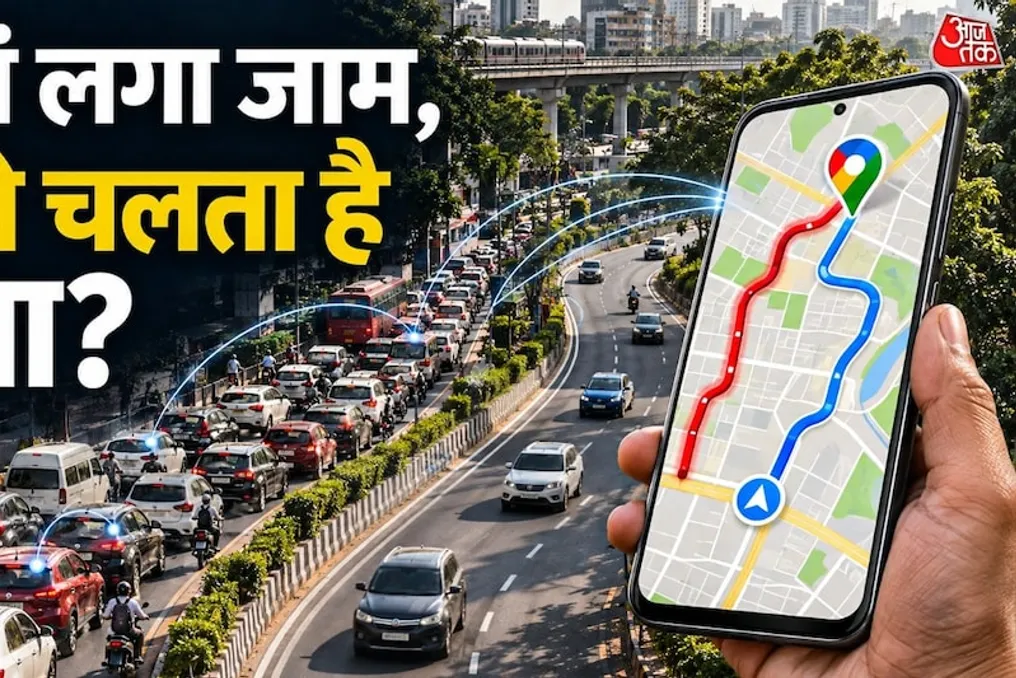
How Google Maps determines traffic jams: an explanation of the system's working principles
Read more
Aaj Tak
www.aajtak.in

How Google Maps determines traffic jams: an explanation of the system's working principles

Many users have encountered Google Maps when searching for a route, and during this process, they see information about road traffic displayed in different colors: green, orange, and red. These colors allow them to easily understand which roads are clear and where heavy traffic jams have formed.

However, the question arises as to how exactly Google Maps learns about traffic jams, since Google employees cannot be present on every road in cities like Delhi or Mumbai? Moreover, the system is capable of tracking the gradual increase in traffic on specific sections.

The reason lies not in the use of a single camera or satellite device. Google Maps uses a comprehensive approach, combining numerous different data sources to assess the traffic situation. In this regard, the greatest role is played by the smartphones of users who use the Google Maps service itself.

Smartphones play a key role in providing traffic data. When a person opens Google Maps on their phone and grants location access, the system analyzes the data from their journey and the speed of transport on the road. For example, if hundreds of people are traveling on a certain street in Delhi simultaneously, and the geolocation data shows that all vehicles are moving significantly slower than normal, Google understands that there is high congestion on that road.

Thus, Google does not need to install its own devices in every car; the information received from the smartphones of people in motion helps the system understand the current traffic condition.

Speed is another critically important indicator for detecting traffic. Suppose that normally the speed on a certain road is 50 kilometers per hour. If suddenly the average speed drops to 5–10 kilometers per hour, Google Maps receives a signal of slowed movement. If similar data comes from multiple phones, it becomes easier for the system to identify a traffic jam. After this, the map can display that road in red or orange, signaling the presence or absence of a jam.

Google Maps does not rely solely on real-time data; it also stores and analyzes historical traffic records. For instance, if it is known that a traffic jam forms on a certain road every Monday from 9 to 10 AM, Google Maps learns this regular pattern. Similarly, data on traffic growth during rush hours, when people commute to work or return home, as well as at the beginning and end of the school day, is collected. Thanks to this data, Google Maps can predict in advance where traffic congestion might occur in the future, allowing users to see a potential jam even before they start their journey.

Traffic information reaches Google Maps not only through smartphones but also through reports provided by ordinary people. If an accident occurs on the road or a vehicle breaks down and stops in the middle of the roadway, a passerby can report this incident through Google Maps. Users can report various problems, including: road accidents, vehicle breakdowns, road repair work, road closures, or any obstacles in the way.

When other users confirm this information or the system receives additional signals, Google Maps can warn other users about the situation. Furthermore, in India, Google receives information about road closures and repairs from local traffic police authorities and other government bodies.

When viewing traffic in Google Maps, different colors denote the road's condition. Each color has its meaning: green indicates that traffic is moving at a normal speed, and there are no serious traffic problems. Orange or yellow means a decrease in speed, meaning traffic is increasing, but this does not necessarily mean a prolonged jam. Red signals high congestion and very slow movement, while dark red indicates a severe jam.

Thanks to these color indicators, the user can assess the situation on the route without reaching the destination.

The function of Google Maps goes beyond simply displaying traffic jams; it also offers optimal routes to reach the destination in the least amount of time. For example, if one needs to travel from Noida to Delhi, and there are two route options, the system will help choose the one that ensures faster arrival.


Similar stories

Google revealed that the virus was installed on 1.3 million devices, conducting surveillance
Read more
www.aajtak.in

Google revealed that the virus was installed on 1.3 million devices, conducting surveillance

Google made a major announcement that one of its Android partners intentionally installed malware on 1.3 million devices. Subsequently, a botnet was created through which users' devices and their internet connections were secretly used.

According to the report, this illicit activity was carried out by the manufacturer VideoStrong Technology, based in Shenzhen, China. Google specified that this malware was primarily found in Android TV set-top boxes. With this software, the company obtained permission from its 'criminal accomplices' to use users' internet connections without their knowledge.

In its blog, Google stated that it is fully confident that VideoStrong Technology developed and installed this backdoor and botnet for financial gain, and subsequently controlled them.

The company emphasized that this was not the result of an error by any single employee or oversight during development. Consequently, Google banned VideoStrong Technology, which can no longer create certified Android devices or provide software for them.

VideoStrong Technology is a company involved in Original Equipment Manufacturing (OEM) and Original Design Manufacturing (ODM). In addition to preparing products for its clients, it also releases its own products. The company was founded in 2011, and according to its website, its products have reached over 100 million households in more than 60 countries.

Google explained that a botnet is a network of infected devices. Attackers can take control of a device after the malware is installed. Infected devices are used for advertising fraud, data theft, and malware installation.

Most of the infected devices were Android TV set-top boxes, but the malware was also found in telemedicine devices, karaoke machines, and digital signage systems. The company also took legal action to disable the domains and servers controlling the botnet.

This case is not the first; similar incidents have occurred before. Last year, German authorities blocked a botnet called BadBox, which affected millions of Android devices. Furthermore, another botnet named Vo1d infected about 1.6 million Android televisions.

Google Retains AI Overviews: Analysis of Search Changes and Ways to Bypass the Feature
Read more
iol.co.za

Google Retains AI Overviews: Analysis of Search Changes and Ways to Bypass the Feature

Despite constant rumors about Google potentially abandoning AI Overviews at the top of search results, the tech giant is firmly sticking to its strategy. For the last two decades, the common advice when searching for information was 'Just search on Google.'

However, by 2026, a noticeable shift in user behavior is occurring. Users are increasingly less likely to say 'Just search on Google,' preferring phrases like 'Just ask ChatGPT,' as generative AI assistants become more deeply integrated into daily workflows and routines.

Instead of retreating from these changes, Google intends to further integrate conversational AI features and AI Overviews into its search architecture. Nevertheless, this strategy presents serious difficulties. Conversational AI formats are constantly criticized for potentially eroding traditional search advertising revenue, which poses a significant financial challenge to Google's core business model.

Concurrently, Google has begun embedding 'Top Stories' carousels directly within AI Overviews, effectively rendering the classic, separate news blocks obsolete on many search result pages.

For users who find the AI summaries useless and wish to completely bypass them, functional workarounds exist. By clicking the 'More' dropdown menu located directly beneath the search bar and selecting the 'Web' tab, users can instantly retrieve clean text results without interference from generated AI summaries. Desktop users can also utilize third-party browser extensions specifically designed to automatically block or hide AI Overviews.

Although AI Overviews are unlikely to disappear anytime soon, users still have practical means to restore a clean, traditional results page when needed.

Google may use Gmail and Photos data for personalized ads; find out how to prevent it
Read more
tecnoblog.net

Google may use Gmail and Photos data for personalized ads; find out how to prevent it

Google has implemented a change that allows information contained in services such as Gmail, Google Drive, and Photos to influence the display of personalized ads. This modification applies to users who consent to share data from these services with other company products, including Search's artificial intelligence features.

This new directive came into effect last week, as reported by Android Authority. Although Google maintains that it does not directly use user content for advertising purposes, the rule takes effect when the user makes their data available in Google tools that support customized advertising.

The change is linked to the expansion of Personalized Intelligence, a feature designed to integrate data from various Google applications, providing recommendations and answers more aligned with the user's context. For example, the AI Mode with Connected Apps in Search can consult emails or photos to answer contextual questions. A reservation made via Gmail, for instance, could be used to suggest restaurants near the hotel.

With this new policy, a portion of the information processed in this integration begins to impact the advertising displayed by Google. Even if the data helps the algorithm direct ads, Google clarifies that the current change does not grant advertisers direct access to messages, Drive files, or cloud-stored photos.

Identifying information, such as name or email address, as well as sensitive data such as race, religion, sexual orientation, or health information, remains excluded from this scope. It is important to note that the Gemini app, although used for searches on Google, does not yet display ads, suggesting that its use with Personalized Intelligence should not expose this same information, provided the company's terms are strictly observed.

Users have the option to disconnect the Google applications used by the personalization feature in Search. These options are accessible in both the Google app settings for Android and iOS systems, as well as through the website.

Additionally, it is possible to completely disable Personalized Recommendations in Search services in the same section. By doing so, services such as Search, Maps, Shopping, Flights, Hotels, Translator, and Google News will stop using account history and other data to generate personalized recommendations.

By removing access, new queries by the personalization features are prevented, but this does not result in the immediate deletion of previously saved data. Old information may remain in the Search services History, which records all interactions made in the company's products. To delete these records, the user must access the My Activity page, go to Search services History, and proceed to manually delete the desired activities or select the Disable and delete activity option.

Popular