Microsoft's PowerToys 0.102 adds features to facilitate mouse usage in Windows
Read more
Tecnoblog
tecnoblog.net

Microsoft's PowerToys 0.102 adds features to facilitate mouse usage in Windows

Microsoft continues to update its suite of tools known as the 'Swiss Army knife' for Windows. The latest version, PowerToys 0.102, introduces two new and relevant utilities focused on mouse functionality.

One of these features is called Mouse Button Lock. When activated, this utility allows the user to press one of the mouse buttons for a very brief period, but the Windows operating system interprets that the button remains continuously pressed.

This enables tasks that require a mouse button to be held down for a long time, such as selecting text, moving files, or resizing elements, all without causing fatigue. This feature can also be beneficial for people with motor difficulties.

Mouse Button Lock can be applied to all mouse buttons (left, middle, and right). Additionally, the user has the option to configure the time required for the automatic lock to trigger. A new tap serves to instantly interrupt the lock.

The second mouse-related novelty is CursorHide. This function allows the mouse pointer (arrow) to be automatically hidden while typing, during periods of inactivity, or in both situations. As soon as the mouse is moved, the cursor reappears on the screen.

CursorHide can help the user prevent the cursor from covering important information or unintentionally distracting their focus.

Other additions in PowerToys 0.102 include the availability of the software on GitHub, where users should select the x64 version for Intel or AMD processors, and the ARM64 version for Arm chips. Users of previous versions may receive an update notification when starting the application.

Although the main focus is Windows 11, PowerToys 0.102 also supports Windows 10.
Similar stories

Three wireless gaming mice recommended to improve your gaming setup
Read more
olhardigital.com.br

Three wireless gaming mice recommended to improve your gaming setup

For gamers, it is well known that a good mouse can make a big difference during a match. Whether due to sensor accuracy, lightweight design, or freedom of wireless movement, selecting the right peripheral is an essential aspect of any competitive setup. Three options for wireless gaming mice currently on sale on Amazon have been selected.

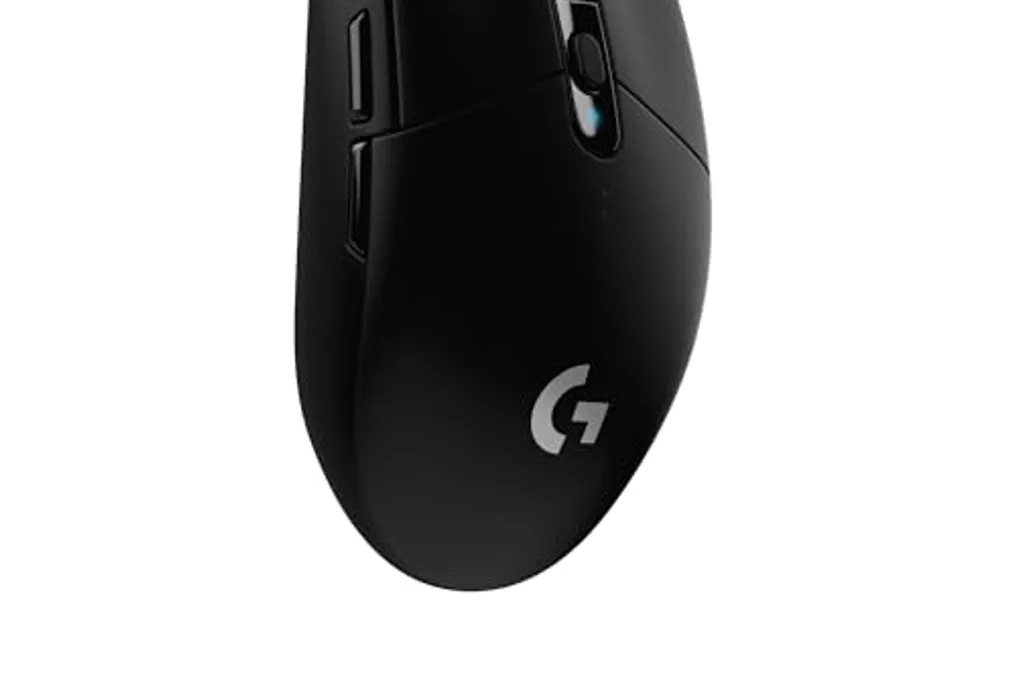
A highlight is the Logitech G305 LIGHTSPEED Wireless Gaming Mouse, which features 6 programmable buttons and supports up to 12,000 DPI in black. This model, a Logitech classic, uses LIGHTSPEED technology, ensuring an extremely low-latency wireless connection comparable to a wired mouse. Its HERO sensor provides up to 12,000 DPI precision, and the six buttons allow for shortcut customization for various games. Furthermore, it offers a battery life of up to 250 hours with a single AA battery, making it very practical for daily use.

Another alternative is the Redragon Astrolabe Lite Black PAW3313 10000 DPI Wireless Tri-Mode Honeycomb 49g (M725-LIT) Gaming Mouse. This mouse is ideal for players looking for low weight and connection flexibility, weighing only 49 grams. Its honeycomb-style perforated structure contributes significantly to this lightness without compromising durability. It operates in three connection modes—2.4GHz USB, Bluetooth, and wired USB-C—ensuring compatibility with almost all devices. The PAW3313 sensor reaches up to 10,000 DPI and comes with an additional paracord cable.

The Husky Cold Blood represents the most advanced option in this selection. It incorporates the Pixart 3950 sensor, considered one of the best on the market for competitions, and features an 8000Hz polling rate, meaning the cursor is updated eight thousand times per second, resulting in extremely high precision response. The Huano Pink switches are notable for their smooth and silent feel, and the tri-mode support allows for wireless gaming via 2.4GHz, Bluetooth, or wired connection. The RGB finish complements the look without affecting performance.

As offers on Amazon tend to change frequently, it is recommended to check the available links immediately to ensure the best price. If you are planning to upgrade your peripheral, this is an opportune time to make the decision.

Popular