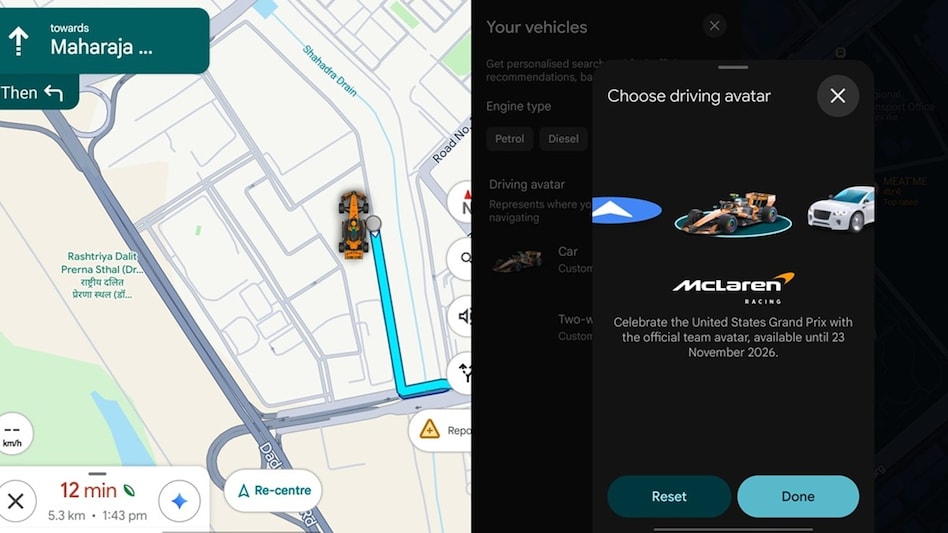
Google Maps users are accustomed to seeing their car as a blue navigation arrow, but now this icon can be updated. Google Maps has released an update that allows users to replace this blue arrow with a McLaren F1 avatar. It is important to note that this feature is available for a limited time.
This special avatar will only be used until November 23, 2026. The update was released by Google Maps to celebrate the US Grand Prix, which takes place in Las Vegas from October 22 to October 25.
Activating the McLaren F1 avatar in Google Maps is very simple. First, you need to go into the Google Maps application, then tap on your profile picture in the upper right corner. Various options will then appear.
Next, you should go to settings and select 'Your Vehicles'. Options for cars and two-wheeled vehicles will be presented there; you need to choose the option for a car. Among the many available models, you can choose the McLaren F1.
After selecting this avatar, it will be displayed not only on the phone screen but also on the car's display when the phone is connected to the car via Android Auto or Apple CarPlay. This service is a server-side update and may not be immediately available to all users.
The reason for featuring the McLaren F1 is related to the partnership between Google and McLaren Racing, which began last year. As mentioned earlier, Google added this avatar to celebrate the US Grand Prix. Although this may seem like a minor change to many users, it holds great significance for fans.