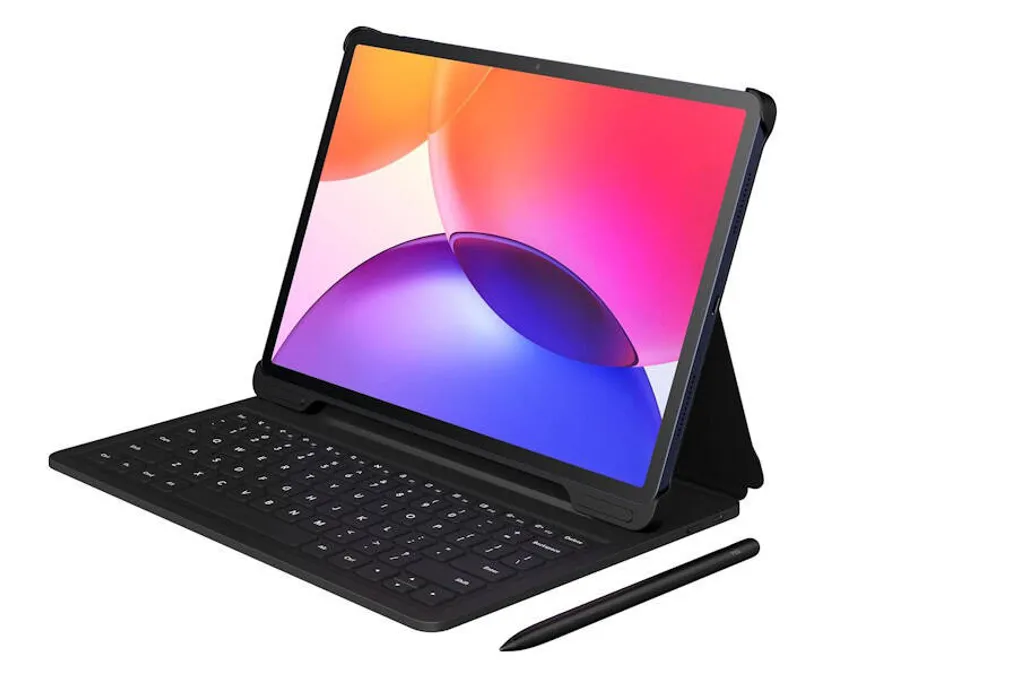
Tablets equipped with styluses are particularly useful for those who need to take notes directly on the screen, and the display size also significantly influences this: larger screens provide more space for drawing and writing, while smaller ones may present compacted and lower-resolution information. When the set includes a keyboard, the device's functionalities expand considerably.
Olhar Digital conducted an evaluation of the TCL A1 Plus, a tablet that features a 12.2-inch screen and comes complete with a stylus for direct annotations and a keyboard for full text typing. The main specifications of this model are detailed below.
The body of the TCL A1 Plus is made of aluminum, featuring a thickness of 6.7 millimeters and weighing 540 grams. Its dimensions are appropriate for a 12.2-inch device, allowing the user to hold the device comfortably when reading articles or watching videos without rapid fatigue. Furthermore, its weight and size facilitate transport in bags and backpacks.
The tablet chassis has an IP54 certification, which ensures resistance against dust and water splashes. Although the bezels around the screen are noticeable, they do not cause discomfort during use. The volume and power buttons are located on the top of the device when it is in landscape mode, along with the USB-C connector and speakers on the sides.
The 12.2-inch screen uses IPS LCD technology, offering a 2.4K resolution (2400 x 1600 pixels), a 120 Hz refresh rate, and a maximum brightness of 550 nits, enabling clear viewing of content even under intense light. This display has a 3:2 aspect ratio, distinct from many Android models, which is advantageous for reading documents, books, and websites.
Internally, TCL equipped the A1 Plus with the Qualcomm Snapdragon 4 Gen 2 processor, complemented by 6 GB of RAM and 128 GB of internal storage. The RAM can be increased to 16 GB through the virtual RAM feature, which uses part of the available storage to optimize performance in tasks. Storage space can also be expanded using a micro SD card (up to 2 TB).
Overall, it is a quite capable tablet, managing basic tasks such as browsing social networks and streaming services without lag. The hardware setup even supports more demanding activities; when using virtual RAM mode, it can run some heavy games at medium graphics without freezing.
One of the strengths of the package is the inclusion of a protective case with a physical keyboard and the T Pen stylus. This gives the tablet great versatility, allowing it to be used almost like a notebook without additional costs beyond the initial price. The Android 16 operating system is efficient in multitasking, supporting the execution of two applications simultaneously, floating windows, and a mode that simulates a traditional computer desktop.
Thus, it can serve both as an entertainment device, for browsing streaming services and social networks, and as a study and work tool, when combined with the physical keyboard for writing extensive texts and with the stylus for direct screen annotations.
Tablets are generally not known for having high-performance cameras for demanding users, and the TCL A1 Plus follows this trend. The rear camera has 8 megapixels with autofocus and LED flash, while the front camera records at 5 MP. These cameras meet basic needs, such as video conferencing and document scanning, but are not ideal for those seeking high-quality photos or professional content creation for social media.
With an 8,000 mAh battery, the device guarantees autonomy for a full day of intensive use. Charging supports up to 20 W, although the process can be a bit slow, taking approximately 2.5 to 3 hours to fully charge.
A tablet that combines a large screen, good battery, and a complete package, like the TCL A1 Plus, represents a great option for those who want a multifunctional device without incurring the costs of premium models. Although it may not be suitable for extremely demanding games with top-tier graphics, it handles moderate and basic tasks very well.
The fact that it comes with a keyboard and stylus makes the package even more attractive, as it allows for productivity and study use without extra expenses. However, some limitations must be noted: the slow charging time may require the user to remain connected to the outlet for long periods, and the USB-C port does not offer video output to external monitors.