On Instagram, deleting a message means removing the record of content sent or received in the Direct section. This procedure can be performed both in the application for Android and iPhone devices, as well as through the web version.
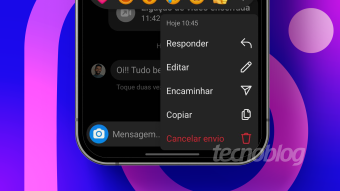
To delete specific messages that you have sent, simply select the 'unsend' feature within the chat. This action ensures that the message is removed for both participants in the conversation.
There is also the option to delete the entire conversation. This method not only clears all exchanged messages but also removes the entire history of audio and calls that were sent or received.
To start the process, open the Instagram app on your phone and tap the Direct Messages (DMs) icon, located in the center bottom of the screen. Then, access the conversation containing the message you wish to delete. To delete a specific item, press and hold on the desired message and select 'Unsend' to remove it from the chat.
How to delete an entire conversation on Instagram
To remove an entire conversation, return to the DMs icon in the center bottom of the Instagram screen. Press and hold on the conversation you intend to delete, choose the 'Delete' option, and confirm by selecting 'Remove'.
If you need to discard multiple conversations simultaneously, you must use a professional Instagram account, as this functionality is not available for personal profiles. Access the DMs area, tap the three dots icon in the upper corner, and choose 'Select conversations' (available on iPhone). Check the chats that should be deleted and then tap 'Delete'. Confirm the operation in the pop-up window by clicking 'Delete' again.
Is it possible to delete messages on Instagram from a PC?
Yes, the Instagram web version offers 'Unsend' and 'Delete Chat' functionalities. Just like in the mobile app, both options are accessible when browsing the DM area using a computer.
What factors can prevent the deletion of a message on Instagram?
Several elements can block the deletion of a message on Instagram. One of the most common reasons is when the message was sent by another person; only the original sender can unsend their individual messages. Another point is contact requests: if you send a message to someone who does not follow you, it appears as a 'Message Request,' and in this case, unsending is not possible, although you can remove it from your inbox.
Furthermore, using an outdated version of the app can cause incompatibility with the 'Unsend' and conversation deletion features, so it is recommended to keep the app updated. Temporary issues inherent to Instagram itself can also prevent deletion, suggesting trying to delete at another time or contacting the social network's support.
Regarding call history, there is no way to delete call messages individually in Instagram conversations. An alternative would be to delete the entire chat, but this would result in the loss of all previously exchanged messages with that person.
It is important to note that when deleting an entire conversation, this action only affects your DM inbox; the other person retains the chat history. Only individually deleted messages disappear for both parties involved.
As for whether the recipient will be notified, this depends on the situation. The recipient may receive a notification and read the message before cancellation, thus realizing it was deleted. However, if the person has disabled app notifications, they will not know about the deletion.
Finally, Instagram Direct messages cannot be recovered. This data cannot be retrieved, even by requesting a backup in the profile files in the Meta Accounts Center, except in cases of police investigation.