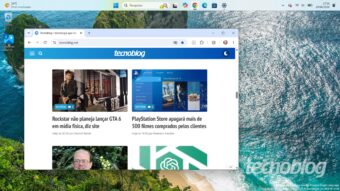
Windows 11, released in 2021, introduced several functional changes compared to Windows 10 and its previous versions. One of these notable differences was the Taskbar, which could not be moved. Although this limitation was corrected later, the reason for this initial restriction remained a question.
In Windows 10, users could easily reposition the Taskbar to the top or sides of the screen simply by dragging the cursor. This feature surprised many when migrating to Windows 11, where movement was not possible. Despite this, Microsoft received numerous complaints from dissatisfied users regarding this limitation over the years.
The solution to this problem took five years to appear. Upon investigating the cause, Windows Latest found a Q&A session from the Windows Insider program, held in April 2022, with Tali Roth, a Microsoft product manager. One of the questions addressed specifically concerned the 'immovable' Taskbar.
Roth clarified that the Windows 11 Taskbar was essentially built from scratch, without reusing the existing implementation in Windows 10. She detailed that making the new Taskbar movable was not a simple task, as adapting applications and other elements to the new positioning would imply major layout and scaling adjustments to ensure an excellent experience.
While Windows 10 already offered this capability, Windows 11 introduced more modern interface features that did not include this aspect until the launch. Thus, to avoid compromising the Windows 11 launch, Microsoft decided to prioritize the most crucial features, leaving the Taskbar's mobility aside, based on the criterion that there was not sufficiently high demand to justify changing the component's position.
After a testing period, Microsoft released an update for Windows 11 in August that restored the mobile Taskbar functionality in the final versions of the operating system. Initially, this was an optional update. The official release occurred in September 2026, via Patch Tuesday (KB5124008), whose installation is automatic.
However, unlike Windows 10, the change of position is not done with the mouse. To change the bar's location, the user must go to Settings / Personalization / Taskbar / Taskbar behaviors / Taskbar location and select the desired option. This procedure will only be effective after installing the update; otherwise, it is recommended to wait, as the release for the device may occur in the coming days.
