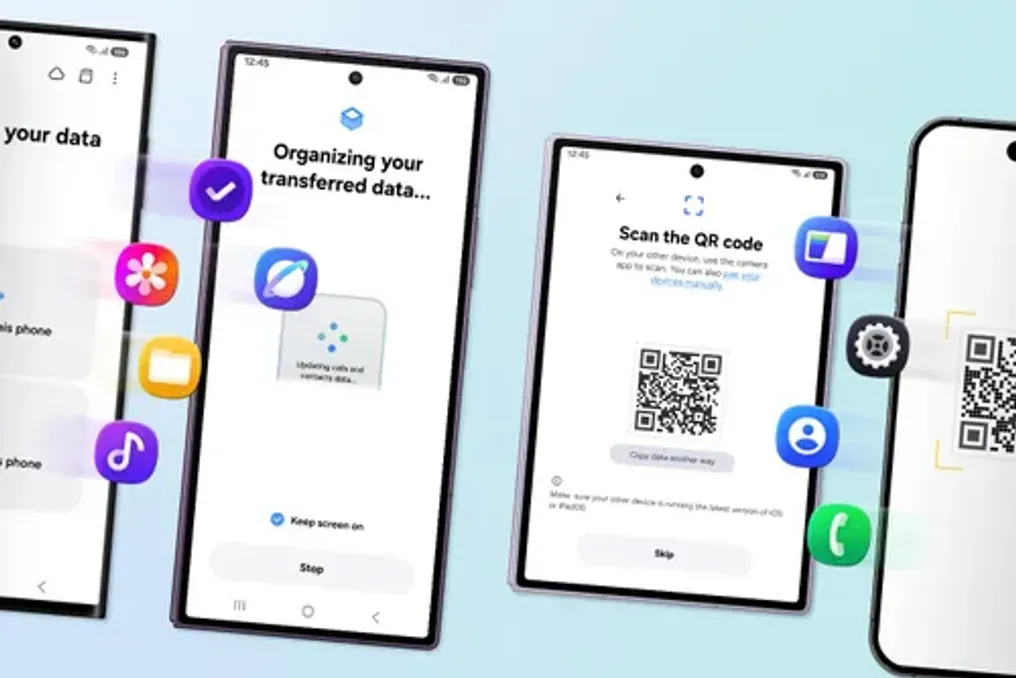
Samsung has updated its Smart Switch application, which now allows eligible users to transfer more data from an iPhone to the Galaxy Z8 series, including passwords, access keys, call history, and eSIM information.
Getting a new phone should be exciting, but the process of transferring data from an old device can sometimes seem complicated. For users switching from iOS to Galaxy, the ability to easily transfer existing settings and data is a crucial aspect of this experience.
Smart Switch is Samsung's data transfer application that enables users to move contacts, photos, videos, messages, apps, settings, and much more from Android or iOS devices to a new Galaxy device. With One UI 9 on the new Galaxy Z eighth series, switching between devices has become simpler and more seamless than before. Furthermore, the Quick Share feature has been improved, facilitating file sharing with friends, family, and colleagues using different platforms.
Starting the switch with just a QR code
With the introduction of One UI 9, users no longer need to separately install the Smart Switch app on their iOS device. They simply need to scan the QR code displayed on the new Galaxy to begin data transfer via Smart Switch. The updated Smart Switch also simplifies wireless connection, allowing both devices to connect without the need to search for a suitable cable or adapter before setting up the new phone.
Transferring a larger volume of data
With One UI 9, Smart Switch has expanded the types of data that can be transferred from iOS devices to Galaxy. In addition to previously supported data such as photos, messages, contacts, calendars, and apps, users can now transfer passwords and access keys, call history, accessibility settings, and eSIM information. These elements may be less visible than a photo library, but they significantly affect how quickly the new device feels ready to use; a saved password means one less account to reconfigure.
Thanks to One UI 9, Smart Switch has increased the range of data that can be transferred from iOS to Galaxy. Transferring accessibility settings helps reduce the need to recreate a personalized experience, and transferring eSIM information facilitates the continuation of using the existing mobile configuration.
Getting used to Galaxy
Whether users are switching to the Galaxy Z Fold8 Ultra, Z Fold8, or Z Flip8, they can make their new device familiar from the start. Beyond data transfer, they can configure key parameters, such as swipe gestures and home screen layout, to match their phone usage style. Using the Good Lock customization app, users can also personalize the home screen, app switching, and more, giving them greater freedom to use Galaxy in the way that suits them best.
For those moving from iOS to Galaxy, these options help restore familiar navigation and organization methods from their previous smartphone, reducing adaptation when transitioning to a new environment. This promotes a more comfortable and natural adoption of the new Galaxy from the outset.
Maintaining sharing after the switch
Whether users are switching to the Galaxy Z Fold8 Ultra, Z Fold8, or Z Flip8, they can make their new device familiar from the start. Switching smartphones does not mean that everyone around the user changes their device. Friends, family, and colleagues can continue to use different devices, making cross-platform sharing an important part of the experience long after setup is complete.
Devices running One UI 9 and One UI 8.5 can benefit from an enhanced device sharing experience using Quick Share. Samsung is working to eliminate practical barriers between smartphone ecosystems. The choice of a new smartphone should be based on the desired user experience. By simplifying the start of the transition, expanding the volume of transferable data, and easing subsequent sharing, Samsung reduces practical obstacles between smartphone ecosystems. The result is an easier path to Galaxy while retaining what already matters.