Functions of the button on an electricity meter: what happens when you press it
Read more
Aaj Tak
www.aajtak.in

Functions of the button on an electricity meter: what happens when you press it

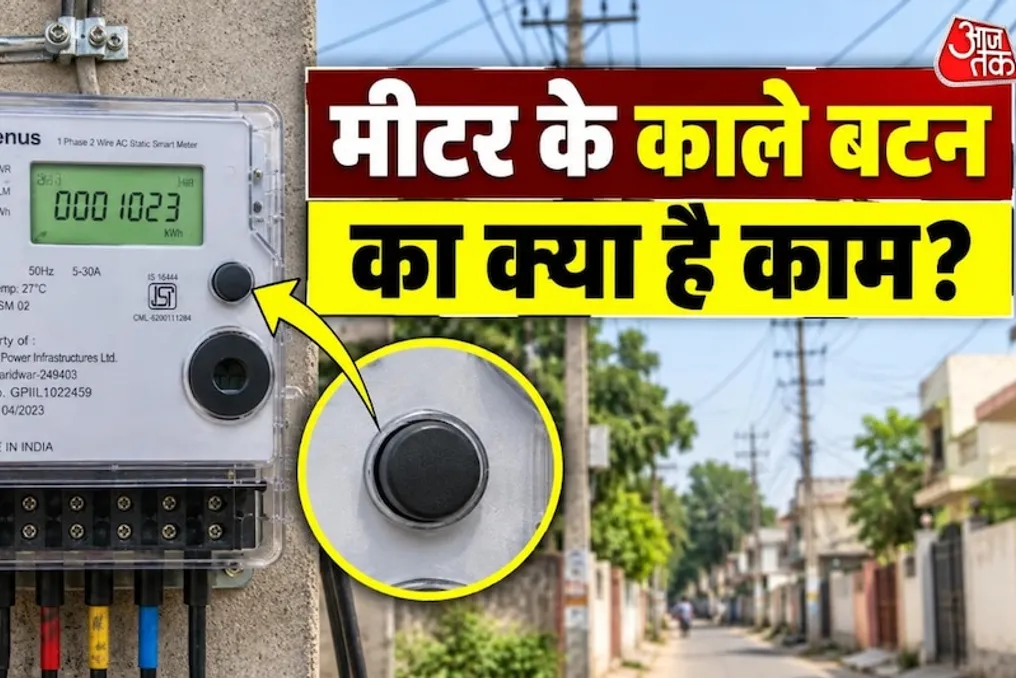
Every person has seen a household electricity meter, but many do not pay attention to the small black button located on it. Some people are afraid to press this button for fear that it might lead to a power outage or cause a meter malfunction.

In digital and smart meters, this button can be used to view meter information or switch between different screens. However, the actual function of this button depends on the meter model and the system of the power supply company.

Many digital electricity meters have a small button on the front. Pressing it may display various data on the meter's display. This could be total consumed electricity, meter status, voltage, current, or other technical information. In some models, different readings are displayed sequentially upon pressing the button; overall, this button is intended for viewing meter data.

As a rule, pressing a button designed only for viewing the display does not cause a power outage in your home. This button often serves to activate the meter screen or change the displayed information. However, it is important to understand that the design and functionality of each electricity meter differ. In some smart meters, the button may perform other functions. Therefore, it is not recommended to press the button repeatedly or for a long time without prior information. If there are any markings, inscriptions, or instructions next to the button, they should be read.

Smart meters constantly record a lot of data in digital format. The button may be provided to give the consumer the opportunity to see necessary information on the meter screen. For example, the meter screen might be off in normal mode. Pressing the button can turn on the screen and show electricity consumption or other readings. While some meters automatically display various information, others require pressing the button to move to the next reading.

Generally, pressing a button intended only for viewing information does not mean changing electricity consumption readings. Units of electricity are recorded based on actual usage. That is, if you press the button on the meter and a different number appears on the screen, it does not mean you have increased or decreased electricity consumption. It is possible that the screen displays voltage, current, power, unit, or some other parameter.

If you do not know how your meter's button works, it is better to refrain from pressing it multiple times, especially if the meter has several buttons or if there is a special symbol next to any button. The most correct way is to check the user manual or the instructions of the power distribution company by studying the model and the information about your electricity metering company. If you notice any abnormal sounds, errors on the screen, frequent power outages, or signs of tampering with the meter's operation, you should contact the power grid service instead of trying to figure it out yourself.

Note when visiting the meter next time

The next time you see an electricity meter, be sure to pay attention to this small black button. On many meters, this button is a simple way to view the display and meter information. However, its exact purpose may vary depending on the meter model. Therefore, it is incorrect to apply information obtained from social media to every meter. If the black button is clearly visible in a photo of the meter in your home, you can more accurately understand its function by studying the model and the button's location.
Similar stories

Functions of Four Indicators on an Electricity Meter: How to Determine the Device's Correct Operation
Read more
www.aajtak.in

Functions of Four Indicators on an Electricity Meter: How to Determine the Device's Correct Operation

When receiving an electricity bill, people first look at the amount of consumed units. If the total is unexpectedly high, questions arise about the reasons for such consumption. It is often observed that various indicators are lit on electricity meters. However, these small lights can provide important information related to power supply.

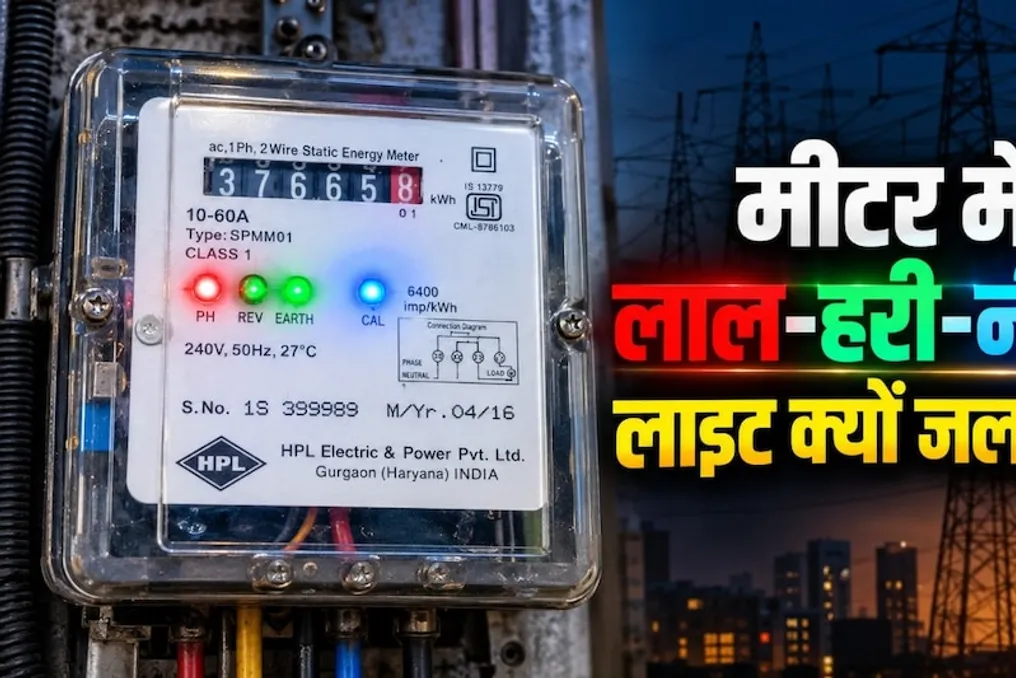
The meter may have green, red, blue, or yellow lights. Each of these indicators has its own meaning: some show the presence of power supply, others inform about the energy consumption level, and some may signal problems or warnings.

It is important to note that the function of these indicators is not universal; its meaning depends on the manufacturer and model of the meter. Let's examine the purpose of each of these lights.

Green Indicator: This light usually indicates that there is a power supply to the meter, meaning the device itself is receiving power. If there is electricity in the house and this indicator is lit, it is considered normal. Nevertheless, if any issues with this indicator are observed while power is present, the meter needs to be checked.

Red Indicator: In some meters, the red light is related to the load, i.e., the amount of electricity consumed in the house. If power-intensive appliances such as air conditioners, coolers, motors, refrigerators, and other equipment are running simultaneously, this indicator may start flashing rapidly. This does not necessarily mean a meter malfunction; high energy consumption occurs when many electronic devices are operating.

Blue Indicator: In many digital meters, the blue indicator is used for pulses. It starts blinking when electricity is being consumed in the house. You can think of it this way: the more energy is consumed in the house, the faster the meter records the consumption, and the faster this indicator blinks.

Yellow Indicator: The yellow light serves as a warning or alert signal in many meter models. This means that the meter may be alerting about a situation requiring attention. The exact meaning of this indicator depends on the meter model. Therefore, if the yellow indicator is constantly lit and an additional message is displayed on the meter, it is best to consult the electrical grid service.

Reverse Indicator: Some smart meters are equipped with a 'Reverse' indicator. This can be useful when the flow of electricity is moving in the opposite direction. Such a signal is especially common in connections with solar panels. If the 'Reverse' indicator is lit and you cannot understand the reason, do not attempt to disassemble the meter yourself, but contact the electrical grid service for inspection.

Fault or Tamper Indicator: Some meters also have 'Tamper' or 'Fault' indicators. They may indicate an attempt at unauthorized interference with the meter's operation or a technical malfunction. If such an indicator is continuously lit or a warning appears on the display, it should not be ignored. The most correct action is to have the meter inspected by an electrical grid service employee.

Analyzing the meter indicators helps to understand whether electricity is being supplied or consumed in the house. However, based solely on the appearance of the indicators, it is impossible to definitively state whether the meter is working correctly or not. If you suspect that the meter is recording an excessive amount of units, try turning off all household appliances and observe the meter for some time. If the meter continues to show a too high increase in units afterward, you should call specialists from the electrical grid service to check the device.

Popular