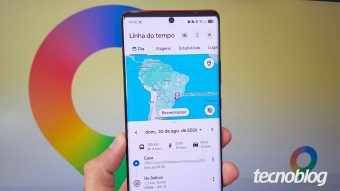
It is possible to use Google Maps to recall visited locations or routes taken in previous months or even years, thanks to the location history available in the applications for Android and iPhone devices. This feature allows users to review journeys and visited points with just a few taps.
The tool called 'Your Timeline' uses a calendar to help locate the itinerary of a trip made in another city or to remember a pizzeria frequented on a past birthday. Additionally, the service provides information about departure and arrival times, as well as the modes of transport used during these movements.
To access the history, the user must open the Google Maps application on an Android or iPhone phone and select their profile picture, located in the upper right corner, to open the menu. Then, within the main menu, the 'Your Timeline' option must be selected to view the device's location record.
Subsequently, by clicking on 'Today,' a calendar will be displayed, allowing the user to choose the specific date to filter the Google Maps history. Navigating the screen will allow checking the details, locations, and routes that were recorded in the iPhone or Android timeline for the selected day.
If the location history does not appear, it is essential to activate Google Timeline by granting the necessary privacy permissions to the application. To perform this configuration, the user must follow a specific path. It is important to note that to disable the feature, simply repeat the steps and revoke the 'Device Location' and 'Timeline' permissions.
Google Maps does not update Timeline data immediately, as it stores movement points at defined intervals to build the history of locations and routes. Although the feature continuously saves exact coordinates, it does not synchronize every few seconds.
This functioning differs from Google Maps real-time location, which uses GPS, Wi-Fi, and mobile networks to transmit the user's position live, ensuring continuous accuracy for contacts following the route.
Location history is strictly private and tied to the owner's account, making it impossible to view another person's timeline. Only the direct sharing function allows monitoring someone's position in real time, provided voluntary authorization from that person.
Even though it is possible to track a cell phone using Google Maps, this feature operates as a periodic record of traveled routes and does not offer real-time position updates; the history saves routes periodically, depending on active connectivity to send the latest data to the cloud. To locate a lost or stolen device in real time, it is recommended to use the Android Google Find My Device or the iPhone Find My app, tools that track the device in real time, allowing alarms to be triggered, the system to be locked, or data to be erased remotely.