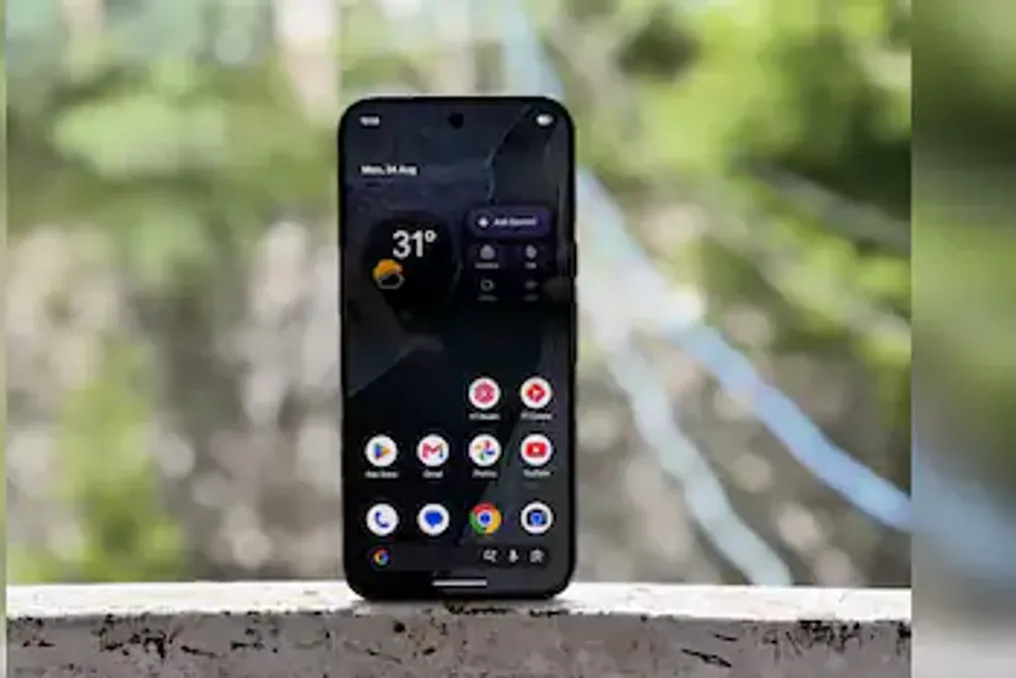
The Pixel 11 Pro XL maintains Google's focus on image processing but now gives equal attention to artificial intelligence, software, and overall user experience, making the device more complete.
Google has moved beyond its traditional strengths with the Pixel 11 Pro XL. The reviewer, based on years of using previous Pixel models, notes that Google has taken steps to broaden the new device's audience. These steps include simplifying the transition process from Android and iPhone, increasing RAM and storage capacity, and promising seven years of software and spare parts support.
Additionally, launch special offers are available, such as discounts from certain banks and trade-in bonuses. Thus, Google has covered a wide range of needs—from purchase appeal to seamless after-sales support.
First Launch
Usually, test units are set up as new devices, but with the Pixel 11 Pro XL, the author decided to make an exception to check if Google's claims about simplifying the transition hold true in practice. While switching from other Android devices to Pixel is usually smooth, switching from Apple iPhone always felt incomplete. It seems the Pixel 11 series has solved this problem.
The Pixel 11 Pro XL offers the ability to migrate apps and data right at setup. After selecting available options—in this case, the iPhone 17 Pro Max (review version)—the Pixel 11 Pro XL displays a QR code that must be scanned with the iPhone to start the migration process. First, the process transfers Wi-Fi credentials, allowing the Pixel 11 Pro XL to connect to the internet. Then, the device checks for software updates and brings itself up to the latest version. However, this stage breaks the connection between the two devices, requiring the initial steps to be repeated to resume migration.
In subsequent stages, the Pixel 11 Pro XL asks whether to copy apps and data. The screen clearly indicates what will be transferred during setup and what will need to be handled later. For example, photos, contacts, and access keys are transferred during setup, while cloud data, such as iCloud Photos, is processed in a separate step afterward.
The device also allows users to select exactly which data to transfer from the connected iPhone, but there are exceptions. Apps, accessibility settings, home screen layout, wallpapers, and Wi-Fi networks are selected by default and cannot be individually excluded from transfer. As with switching between Android and Pixel devices, some apps require separate steps after setup for data migration. WhatsApp is one such app. The good news is that the Pixel 11 Pro XL explicitly confirms the need for separate transfer of WhatsApp chats and lists the necessary steps. The same applies to data saved in iCloud, which requires separate transfer after setup. Finally, the Pixel 11 Pro XL reminds the user to disable iMessage on the iPhone after setup to continue receiving text messages from iPhone users.
The entire process has become simpler and, importantly, completely wireless. Nevertheless, there are nuances. iPhone-exclusive apps are not transferred and are clearly marked during setup, informing the user what is being left behind. Data transfer works for files, images, and other data types, but application-specific data is not always transferred. For instance, edited and saved drafts of Instagram Reels were lost during the transfer. Similarly, in-app settings are not transferred. For example, the Outlook app needs to be set up again, even if associated accounts are transferred during setup. Since the transfer also includes home screen settings and wallpapers, the Pixel 11 Pro XL's home screen initially looked unusual due to the mixed placement of apps. Despite this, the data transfer process became easier, although potential for improvement still exists, especially when switching from iPhone to Pixel. The process eliminates most of the friction traditionally associated with platform switching but does not yet provide a complete step-by-step transfer of the experience from one operating system to another.
Using the Pixel 11 Pro XL
The Pixel 11 Pro XL is more than just fixing a few minor flaws. The author feels it represents an entirely new experience moving in the right direction. The device has many merits: from small improvements like enhanced haptic feedback and an updated Always-On Display mode, to major changes including a new camera interface, content creator-focused features, and AI integrated into the operating system.
As a Google product, it is packed with software tricks, especially in the field of AI. However, what stands out is the coherence of their implementation, which the author felt was lacking in previous generations. Although some adaptation is required, the built-in tips section is useful for understanding the capabilities of the Pixel 11 Pro XL and how to use these features in daily life.
Since the author switched from an iPhone, which is expected to receive the full suite of AI features with iOS 27 later this year, the Pixel 11 Pro XL felt significantly more advanced. Rambler, which was used repeatedly, and proactive assistance powered by Gemini particularly caught the eye. For the uninitiated, Rambler is a voice input feature built into Gboard. It doesn't just work as dictation; it goes beyond simple speech-to-text conversion: it structures sentences, removes filler words, corrects stutters, formats lists, and adds punctuation while preserving the user's natural thoughts. Importantly, it understands commands like 'add emoji' or 'use casual tone,' and it can account for context when using multiple languages in a single input, making the experience more useful in daily communication. Proactive assistance, in turn, identifies relevant information from connected Google and selected third-party apps in messages, notes, and even Google Maps. Although the experience is not uniform in all situations, Google states that the service improves over time, and the author hopes that the context it extracts and the information it provides will become more informed of his usage as he continues to use the device.
The Camera Became More Stable
Image processing has always been the core of the Pixel experience, and the Pixel 11 Pro XL is no exception. It is particularly pleasing that some quirks present in previous generations have been eliminated. For example, when switching between camera sensors during video recording, there is no longer such noticeable shaking, especially when using the zoom wheel to move between different focal lengths. The image processing pipeline has also been revamped. The Pixel 11 Pro XL now captures images that look more realistic, even if the user simply points the camera and takes a shot without any settings.
Pro Zoom remains part of the functionality and uses AI to enhance images, but there is also an option to revert to the original, non-AI-enhanced version. During use, the author chose the Pro Zoom version more often. Additionally, three different styles are available besides the original: Natural, Shadows, and Vanilla. These are more than just standard image filters; they alter the color science within the image processing pipeline, and the results are visible in the final shots. The author also frequently used Circle to Search in the Camera to quickly identify an object the camera sees and find relevant information online.
A Unified Daily Experience
The Pixel 11 Pro XL is packed with features and capabilities. As mentioned earlier, all elements harmonize, and the overall daily experience feels cohesive. It is worth noting that battery life does not suffer. The phone comfortably lasts a full day of use. Regarding charging, wired charging is fast enough to charge the battery in almost an hour, and fast wireless charging is also supported via Qi 2.2. The presence of magnets to secure the wireless charger is a feature the author wishes more Android smartphone manufacturers would adopt.
In this regard, the Pixel 11 Pro XL feels less like a collection of individual specifications and more like a device designed around how the user interacts with the phone throughout the day. The advantage of this approach is not always obvious in the specifications, but it becomes apparent when switching between different tasks.
But It Is Not a Gaming Phone
The experience so far might give the impression that the Pixel 11 Pro XL is the perfect smartphone. But it is not. Like previous models, the device is not designed for intensive gaming. This doesn't mean games won't run—they do run. However, the author encountered constant stuttering in some graphically demanding games, including BGMI, and the experience was far from smooth. Overall performance is fast, but thermal management is not. From recording 8K video, which the Pixel 11 Pro XL supports, to editing videos on the go and using GPS and maps for navigation, the phone heats up. Sometimes it reaches a point where one does not want to hold it or carry it in a pocket. This may be the most obvious difference between the Pixel 11 Pro XL and smartphones that prioritize sustained performance. For daily tasks, performance is not an issue, but limitations become apparent during prolonged execution of resource-intensive tasks.
Conclusion
After extended use, the author believes the Pixel 11 Pro XL is a model that has moved beyond Google's traditional focuses. The camera remains a central element, but it is no longer the sole reason to consider the phone. The migration experience, especially from iPhone, has become smoother than in previous Pixel generations. Although gaps still exist, particularly regarding app-specific data and settings, the process is now wireless and provides clear guidance on what is transferred and what requires further action.
The biggest change is in the software. Google has integrated AI into many parts of the operating system, and this implementation seems more cohesive than before. Features like Rambler, proactive assistance, and Circle to Search are not isolated additions; they are becoming part of how the phone is used. The camera also benefits from changes in the image processing pipeline and more stable sensor switching. Battery life is sufficient for a full day, and wired and wireless charging meets daily usage needs. However, the Pixel 11 Pro XL still has limitations: it is not designed for heavy gaming, and prolonged resource-intensive tasks can make the device uncomfortably hot.
For the author, the Pixel 11 Pro XL works because the improvements are not limited to one part of the phone. Google has taken care of the experience before use, how it is used during the day, and the support promised after purchase. The result is a Pixel that feels more complete than its predecessors, even if there are still areas needing refinement.
Price of Pixel 11 Pro XL
12GB + 256GB: ₹134,999
16GB + 512GB: ₹149,999