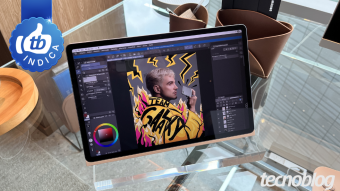
Selecting a tablet intended for drawing requires analyzing several factors, such as screen characteristics, processing capacity, and the functionalities provided by the stylus compatible with the device.
Professionals who use these devices should prefer models equipped with processors incorporating modern and efficient GPUs, as well as having more than 8 GB of RAM, which is crucial for managing multiple tasks and graphic processing properly.
In this article, Tecnoblog presents a list of seven drawing tablets, detailing the pros and cons of models manufactured by Apple, XPPen, Samsung, and Huawei.
iPad Pro (2025)
The iPad Pro (2025) is presented as Apple's main alternative for users willing to invest more and already integrated into the brand's ecosystem. This tablet features an Ultra Retina XDR display (available in 11 or 13 inches) with a pixel density of 264 PPI and P3 color coverage. These specifications ensure greater sharpness in strokes and a wider color palette compared to the sRGB standard.
Advanced performance for artists is ensured by the combination of the M5 chip (manufactured in 3 nm) with up to 16 GB of unified memory, allowing for the smooth execution of multi-layered projects in software like Procreate and Photoshop.
This model is compatible with the Apple Pencil Pro and Apple Pencil (USB-C), although the styluses must be purchased separately. Versions with nano-texture glass, designed to reduce screen reflections, exist, but they are more expensive and restricted to models with 1 TB or 2 TB of internal storage.
Galaxy Tab S11 Ultra
The Galaxy Tab S11 Ultra offers a 14.6-inch Dynamic AMOLED 2X display, significantly expanding the area available for drawing. The display supports DCI-P3 and sRGB color gamuts, despite having a slightly lower pixel density of 239 PPI.
To ensure high performance even in complex artistic projects, the tablet is powered by the Mediatek Dimensity 9400+ processor (3 nm) and can have up to 16 GB of RAM. The Clip Studio Paint software comes pre-installed, but the device also runs applications like ArcSite and Sketchbook.
The product packaging includes a keyboard cover and a latest-generation S Pen. This stylus features a hexagonal design with a conical tip, optimized for larger tilt angles, and boasts an IP68 resistance rating.
The iPad Air represents a more economical option compared to the iPad Pro. It also has 11 or 13-inch screens, with P3 color tone and good color density (264 PPI), but it uses LCD displays whose blacks are less deep than those found on OLED screens.
In terms of performance, it features the M4 chip (3 nm) and 12 GB of unified memory. Although its performance is inferior to the M5, the tablet can execute heavy drawing projects without major difficulties.
Similar to the iPad Pro, this device is compatible with Apple Pencil Pro and Apple Pencil (USB-C), but the accessories must be bought separately.
Magic Drawing Pad
The Magic Drawing Pad is classified as an intermediate drawing-focused tablet. It features a 12.2-inch LCD screen with approximately 266 PPI and 97% sRGB color coverage. Its major differential lies in the X-Paper display technology, which simulates the feeling of friction and resistance of paper during the drawing process.
Performance is provided by the MediaTek MT8781 chip (6 nm) combined with 8 GB of RAM. This configuration is suitable for simpler drawings but may slow down in extremely elaborate work.
Another relevant point is the X3 Pro Slim pen, which uses EMR technology and offers 16K pressure levels, ultra-low latency, and support for up to 60-degree tilts. Additionally, this pen comes with the tablet in the box at no extra cost.
Galaxy Tab S10 FE
The Galaxy Tab S10 FE has a 10.9-inch LCD display with a pixel density of 249 PPI, marginally superior to that of the Tab S11 Ultra. For those needing more workspace, the Plus version, which has a 13.1-inch screen (also LCD), is a viable alternative.
This tablet is equipped with the Exynos 1580 chipset (4 nm) and 8 GB of RAM, making it more suitable for illustrations and projects that do not require extensive computing power. However, it maintains compatibility with applications such as Sketchbook and Clip Studio Paint.
The S Pen included with the device is inferior to the pen of the Tab S11 Ultra, but it is designed to provide responsive design, pressure sensitivity, and IP68 protection.
The iPad (2025) displays an 11-inch Liquid Retina screen, offering good definition in strokes thanks to a pixel density of 264 PPI. However, this model is limited to the sRGB standard, presenting a smaller color gamut compared to the P3 standards seen in the iPad Pro and Air.
Even so, the A16 Bionic chip (4 nm) and 6 GB of RAM provide balanced performance for running illustration programs like Procreate and Photoshop. The minimum storage of 128 GB ensures enough space to save artistic creations.
The iPad is compatible with Apple Pencil Pro or USB-C, but the accessory must be purchased separately.
Huawei MatePad PaperMatte Edition
The Huawei MatePad PaperMatte Edition features an 11.5-inch LCD screen and 256 PPI. The panel employs the exclusive PaperMatte technology, which replicates the feel of paper and minimizes surface reflections, resulting in more natural drawings.
This tablet is better suited for illustrations that do not demand many resources, given that it has 8 GB of RAM and the mid-range Kirin T82B chip (7 nm). An advantage is the support for the HUAWEI M-Pencil (3rd generation), which magnetically attaches to the device; however, the pen is not included in the product box.
To decide which drawing tablet to purchase, it is essential to analyze the features and specifications focused on illustration and verify if they meet your needs. It is important to observe aspects such as:
The iPad Pro (M5) is considered the best tablet on the list for those in the Apple ecosystem, as it offers high pixel density, wide color gamut, and sufficient power to run complex, multi-layered projects. For Android users, the Tab S11 Ultra may be the ideal choice to achieve maximum performance.
Among the listed tablets that come with a pen, there are the Magic Drawing Pad, the Galaxy Tab S11 Ultra, and the Galaxy Tab S10 FE. In the other models, it will be necessary to purchase a compatible pen separately.
It should be noted that not all tablets have pens; some only support capacitive pens, which replicate the touch and sliding of fingers without offering specific drawing features. Furthermore, more basic hardware configurations can limit the performance of illustration applications.
Therefore, it is essential to go beyond mere pen compatibility and understand whether the tablet provides a good drawing experience. It is recommended to analyze the pen specifications to check if it offers tilt levels, pressure sensitivity, palm rejection, and other attributes that facilitate the illustration process.