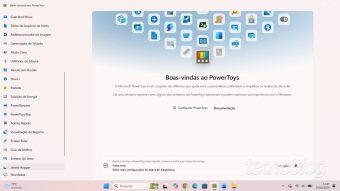
PowerToys in its version 0.101, released by Microsoft, features the Window Hopper resource, which allows switching between different windows belonging to the same program using the shortcuts Tab + ` or Tab + S + `.
Furthermore, this update brought other functionalities, such as a compact mode for the Command Palette, the ability of PowerDisplay to adjust the brightness of multiple monitors simultaneously, and Advanced Paste that now operates with the Phi Silica artificial intelligence model.
This set of tools, known as the Windows 'Swiss Army knife,' has received another iteration, fixing bugs and improving existing utilities, in addition to adding Window Hopper for quick switching between windows of a single application, which is useful when managing multiple folders in File Explorer or multiple documents in Microsoft Word.
Although Windows allows quick switching between open windows via Alt + Tab, Window Hopper differs by restricting this alternation only to windows of the same application. After activating Window Hopper, the user must use Tab + ` to advance to the next window or Tab + S + ` to return to the previous one, although the article's author considers these accented shortcuts impractical, noting that they can be modified in the feature's settings.
What other new features are present in PowerToys 0.101?
Microsoft also used this new version to refine other utilities. The Command Palette now has a compact mode, allowing its interface, which provides quick access to web searches, files, and settings, to minimally expand to display only the results, which is advantageous on smaller screens.
Power Display, a tool designed for managing multiple screens, can now adjust the brightness level of all monitors at the same time. Advanced Paste, which handles copying and pasting in various formats, has been updated to work with Phi Silica, an AI model developed by Microsoft that operates locally, without needing a cloud connection.
Other additions include ZoomIt, which gained the DemoMirror function, enabling directing one screen to a presentation while another displays a real-time mirrored view of the content. Mouse Utilities also received a highlight mode called 'Ripple' for the highlighter function, generating a wave effect upon clicking.
How to get PowerToys 0.101?
PowerToys 0.101 is available for free on GitHub. Users should select the x64 version for computers equipped with Intel or AMD processors, or the ARM64 version for devices with Arm chips, such as the Snapdragon X series. It is important to note that despite focusing on Windows 11, the tool is also compatible with Windows 10.