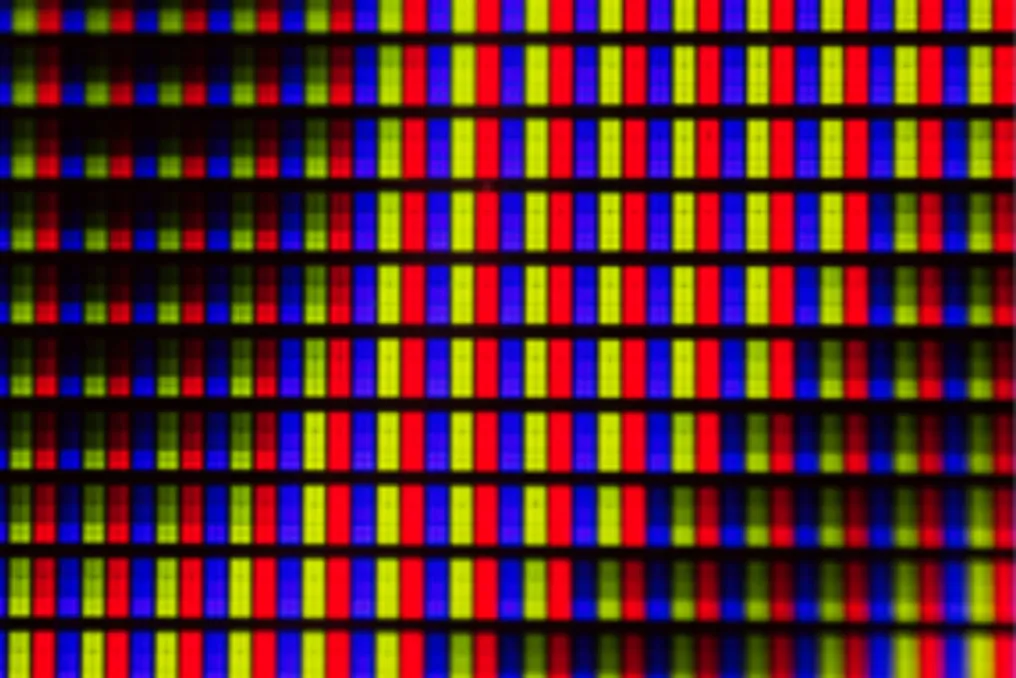
A dead pixel constitutes a physical failure that occurs when the subpixels in a section of the screen lose power and turn off, resulting in a permanent black spot. Unlike software issues, this defect prevents the pixel from tracking the chromatic changes displayed on the monitor.
Nature and Functioning of the Dead Pixel
This type of damage usually results from manufacturing defects, electrical overloads, physical shocks, or thermal stress. Such occurrences definitively interrupt the flow of electric current, making complete panel replacement the only definitive solution available.
Specifically, a dead pixel is a defect where the subpixels at a point on the screen completely cease energy emission. Because it cannot obey video commands, this hardware failure manifests as a constant black spot on the display.
Visual Behavior on the Screen
Visually, a dead pixel appears as a dark spot that remains unchanged, refusing to change color along with the surrounding environment. Although noticeable on light backgrounds, it tends to disappear on screens displaying only black. This defect operates in isolation, without affecting adjacent components, which distinguishes it from a stuck pixel, which remains lit in a single color.
On touch-sensitive screens, the problem is usually merely visual, as touch sensors operate on a separate layer. However, severe physical damage to the panel can lead to a subtle decrease in sensitivity in the affected area.
Main Causes of the Defect
Various factors can cause a dead pixel, ranging from production line failures to common incidents in daily use:
- Manufacturing defects: Impurities or misalignments in thin-film transistors (TFT) during assembly can cause the component to be defective from the factory.
- Electrical overload: Power surges or component wear can damage the individual transistors supplying power to the subpixels, permanently cutting electricity at that point on the panel.
- Impacts and physical pressure: Drops, bumps, or excessive force applied to the screen can physically break internal circuits, interrupting image transmission in that region.
- Thermal stress: Exposure to extreme temperatures or using overclocking, forcing refresh rates above the designed limit, accelerates degradation and deactivates pixels.
- Natural wear: Over time, the continuous flow of electricity wears down the microscopic materials of the panel, causing older screens to progressively lose pixels.
Affected Devices and Screen Types
A variety of modern equipment can be susceptible to dead pixels, including computer monitors, laptops, smartphones and tablets, televisions, portable consoles, virtual reality (VR) and augmented reality (AR) headsets, as well as panels used in industrial and automotive environments.
Regarding screen type, although there are distinct structures, such as LCD transistors or OLED organic diodes, the screen type does not determine the probability of a dead pixel. The risk is more related to the rigidity of quality control during manufacturing than to the chosen display model. Top-tier screens tend to suffer less due to more rigorous industry testing, but portable devices are more vulnerable to long-term failures due to daily impacts and constant thermal variations.
Testing and Dealing with the Dead Pixel
It is possible to perform a dead pixel test by using a clean screen to display solid colors, such as red, green, blue, white, and black. By keeping these colors full-screen, one should inspect the panel closely to identify static black spots that do not change tone. Alternatively, specialized websites, such as displaytech, offer automated tests, allowing navigation through colors at maximum brightness. If a fixed point does not follow the transitions, it is recommended to take a photograph to document the defect.
Solutions and Warranty
Upon detecting a dead pixel, the initial procedure suggests testing simple fixes, such as turning the device off for a few hours. In modern televisions, particularly OLEDs, it is advisable to use the 'pixel refresh' function in the system settings to try and resolve the anomaly. If the defective spot is in a central area and hinders use, it is crucial to take clear photos to prove the problem. Aggressive home remedies, such as lightly pressing with a microfiber cloth, should be avoided, as this can cause irreversible damage to the display.
Dead Pixel Repair
In most cases, a dead pixel cannot be repaired because it constitutes a physical and definitive hardware defect, implying a broken circuit or a burned-out transistor that prevents the arrival of electrical energy. Since software cannot correct this lack of current, the only definitive alternative is replacing the compromised panel. If the problem is bothersome, the appropriate course of action is to seek technical assistance for a complete screen replacement.
Regarding warranty coverage, it varies according to the policies established by manufacturers, who follow technical standards that define an acceptable limit of dead spots. In practice, many brands require a minimum number of defects or that they be centralized to process a replacement. However, the Consumer Defense Code protects the consumer by classifying the defect as a hidden defect that affects the user experience, giving the customer the legal right to demand repair, regardless of the companies' internal tolerance tables. To ensure rights, it is essential to record the failure with clear photos on colored backgrounds and activate the manufacturer's official support. If technical assistance denies replacement citing an acceptable margin, the recommended recourse is to seek defense bodies such as Procon.
Differences Between Pixel Types
A dead pixel is characterized as a total physical failure, where all subpixels remain off due to lack of power, resulting in a static black spot that ignores video stimuli. A stuck pixel occurs when one or more subpixels remain permanently active while neighbors turn off, causing the screen to display a fixed bright color, often red, green, or blue, which can sometimes be reversed by software.
A hot pixel happens when the subpixels are simultaneously lit, generating an annoying white spot on dark backgrounds. This same phenomenon can affect digital camera sensors, producing luminous spots in long-exposure photographs.
Dead Pixel Versus Burn-in
While a dead pixel is a localized hardware failure that completely shuts down the subpixels of a single point, causing a permanent black mark, burn-in is an image retention phenomenon caused by the uneven wear of components that displayed static content for long periods. Unlike an isolated spot, burn-in prints persistent silhouettes and ghost images in larger areas of the display.